Federal Register
Aluminum derivatives: more parts addedSection 232Effective in 14 daysNew HTS subheadings join the aluminum list.Check my catalog

GingerOS AI trade compliance platform
Stop wasting hours on spreadsheets. GingerOS is an AI, custom-built for each enterprise. It runs on your process and the data you have, ERP or not.
Illustration with sample data: a dotted world map with a draggable time-of-day bar. Five sample events, such as an HS 2028 code change, appear one at a time, and orange lines run to the affected sites, where cards show SKUs hit and the next action.




Fitted to your process: one tariff notice, from alert to your ERP.
Illustration with sample data, Notice: a GingerOS window open on Compliance Radar gets a new Federal Register alert, Section 232 aluminum derivatives, effective in 14 days, above four earlier events marked Rechecked, while Ginger tells Tiffany in the chat that it is checking her SKUs.
Illustration with sample data, Detect: Tiffany presses Check my catalog, a progress bar checks all 4,210 sample SKUs, and the SKUs affected count climbs to 38 while a table lists the hit parts, such as a battery tray housing under HTS 8708.99.81.
Illustration with sample data, Impact: three tiles count 35 New rate, 1 Needs answer and 2 Origin recheck as each row gets its duty change, mostly 2.5% to 52.5%, and next step. Ginger says 35 get a new rate and 3 need a closer look.
Illustration with sample data, Classify: the battery tray housing, SKU 50-2291, opens in Classification with two facts Missing and its code on file flagged Basis missing. Ginger asks two questions, Tiffany’s answers fill the gaps, and Ginger suggests 8507.90.80 with three reasons, which Tiffany approves.
Illustration with sample data, Verify: three Trade checks panels recheck SKU 50-2291 under its new code. Export control comes back Clear (EAR99), FTA eligibility Qualifies under USMCA, and Documents turn Complete once two expired origin declarations are requested, received and filed.
Illustration with sample data, Update: Tiffany presses Write back and the Product Database turns all 38 SKUs Verified, with the battery tray housing’s 8708.99.81 crossed out for 8507.90.80, and the footer reads 38 records written back to your ERP and Audit trail saved.
Illustration only. Your interface is designed around your process.
Built with Trade and Tech nerds.
Trade advisory, on every step


Before any contract
Illustration with sample data: a Scoping call chat beside a Requirements list, where a cursor strikes out Re-key every entry into a second ERP as Not needed and another adds Warn procurement before a supplier switch, tagged New.


Illustration: a Parts prototype window with a table still loading as gray bars. A cursor selects the Duty panel, which grows into Duty by destination with US, MX and a new CA tile, and a comment reads Exposure sits here.

Trade advisors join the engineers on day one.


Once we are engaged
Illustration with sample data: a window cycles through three screens, each marked Reviewed by a trade specialist. Sample SKU 50-2291 is classified as 8507.90.80 with two reasons, an Origin check shows only Mexico needing a certificate, and a Duty screen shows 0% on entry.
Illustration with sample data: a GingerOS window marked Running, with a segmented status bar labeled 742 and 38 above a feed that keeps scrolling through recent events, such as Tariff notice in, 38 SKUs rechecked and ECN-2291 changed a material, code rechecked.
What a customs broker stopped worrying about once Ginger did the checking.
Case study
No more worrying aboutWhich clients a new rule hitsReading every policy updateTools that return error codesExemptions the tools left outSmall type on a glaring screen

Section 232 metals update
Takes effect in 10 days186affected
Checked 2,480 / 2,480 products · 15 clients
Open a report to check it, then press Send.
Home goods importer
Illustration: a Files window with a Case study folder holding the Jet Import Brokers case sits beside a document viewer open on it. A cursor labeled Ginger opens the folder, then clicks Send impact reports in the Jet figure.
Illustration with sample numbers, Jet Import Brokers case study: a case study headed A day or two per client, now 30 minutes for all. Its figure shows Jet’s large-type screen checking 15 clients after a tariff update, and one client’s impact report.
The four questions your IT team will ask, answered up front.
Privacy & data
Not an option. Your data never trains our models, or anyone else’s.
In your own dedicated environment. Never pooled with other customers or public AI tools.
Yes. In transit and at rest.
Yes, 24/7. Odd logins, bulk exports, repeated failed sign-ins and sudden permission changes get flagged. We block the session, re-verify the user and alert your admin right away.
Illustration: a GingerOS Settings window open on Privacy & data, with four rows, one per question. Model training is locked off, encryption has In transit and At rest checked, and monitoring shows a live green dot labeled Watching 24/7.
Learn, ask and practice with people who file every day.

Online tool suite window: a screen recording of app.gingercontrol.com moving through its parts library, classifier and compliance radar. Pointed at, Ginger calls it our tool suite for small companies and solo trade compliance people and links to app.gingercontrol.com.
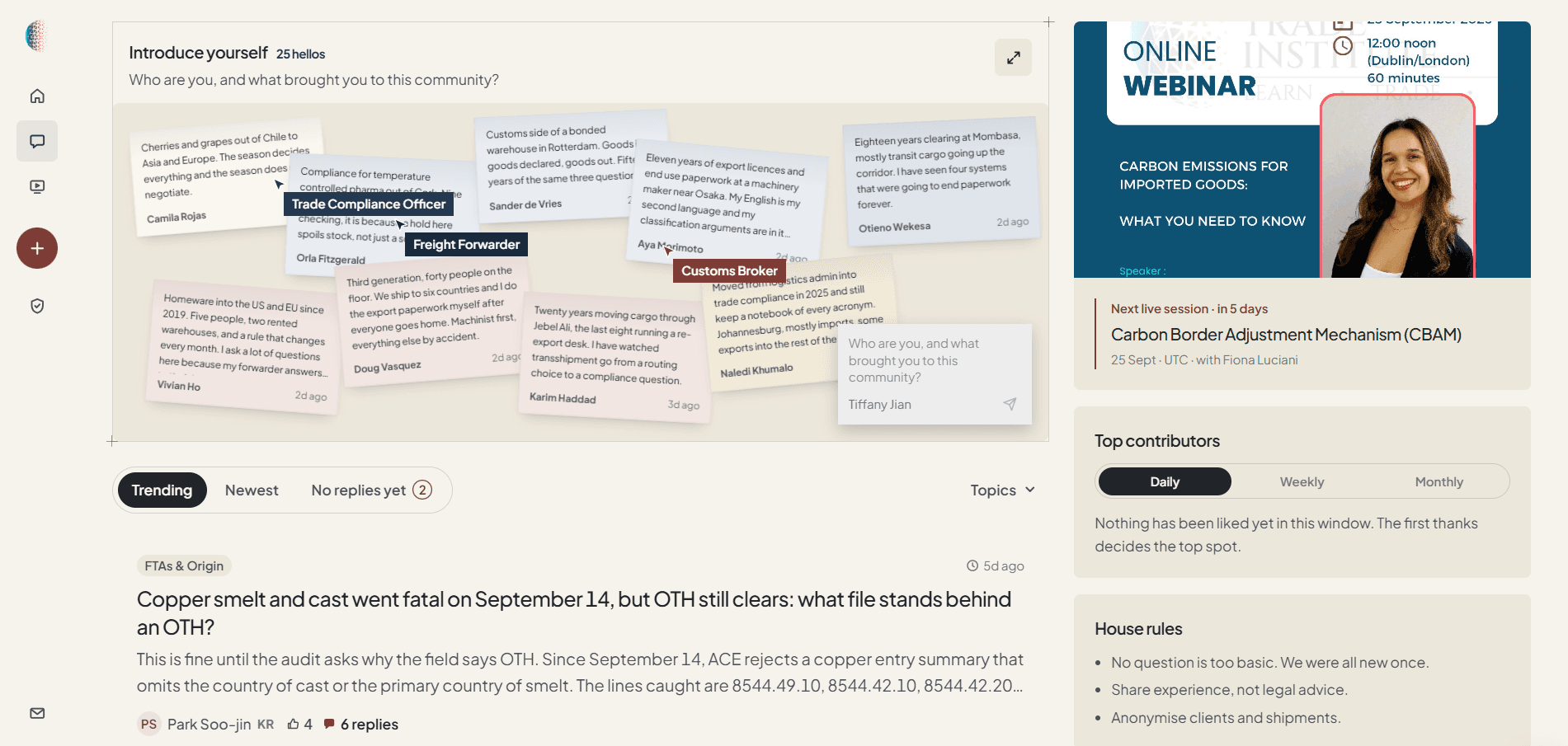
Forum window: the International Trade Institute forum’s Introduce yourself wall, with notes from brokers, forwarders and compliance officers. Pointed at, Ginger says we built this forum and links to it.
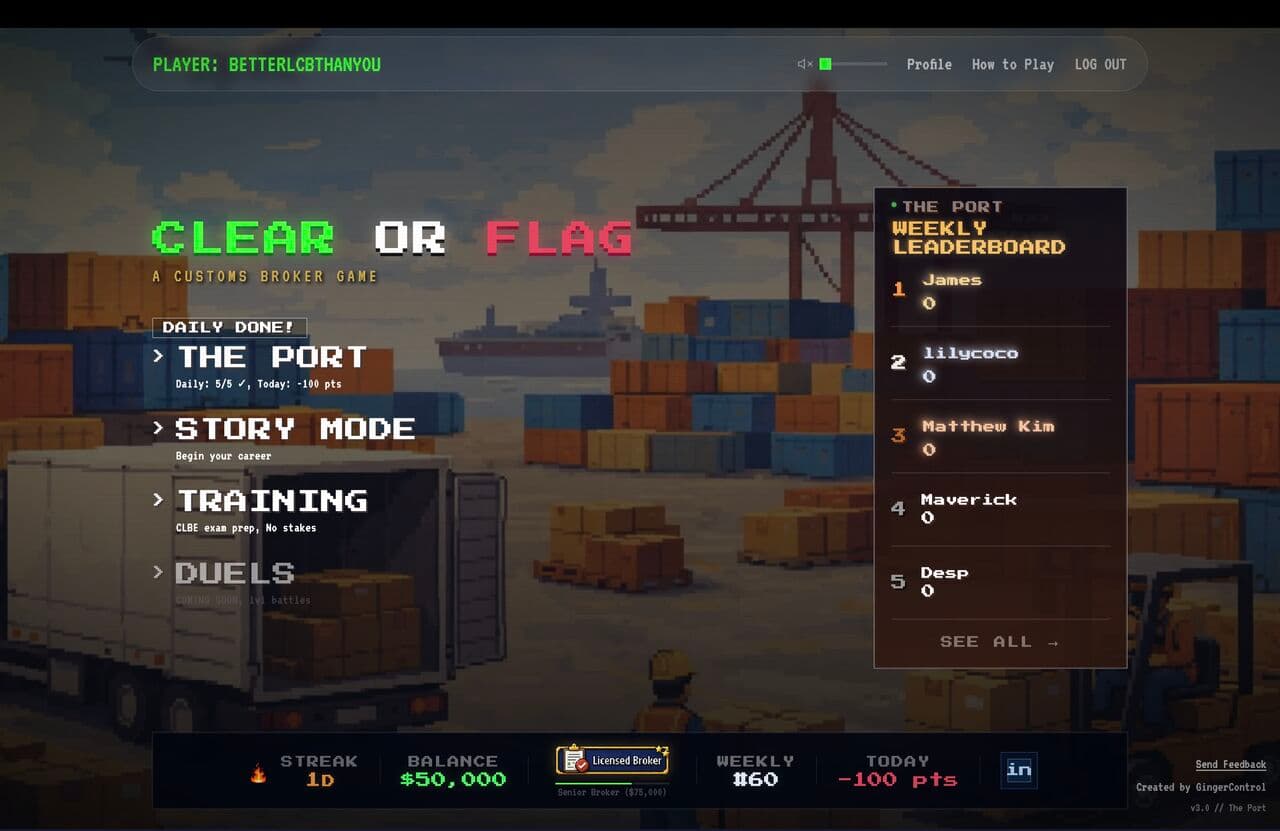
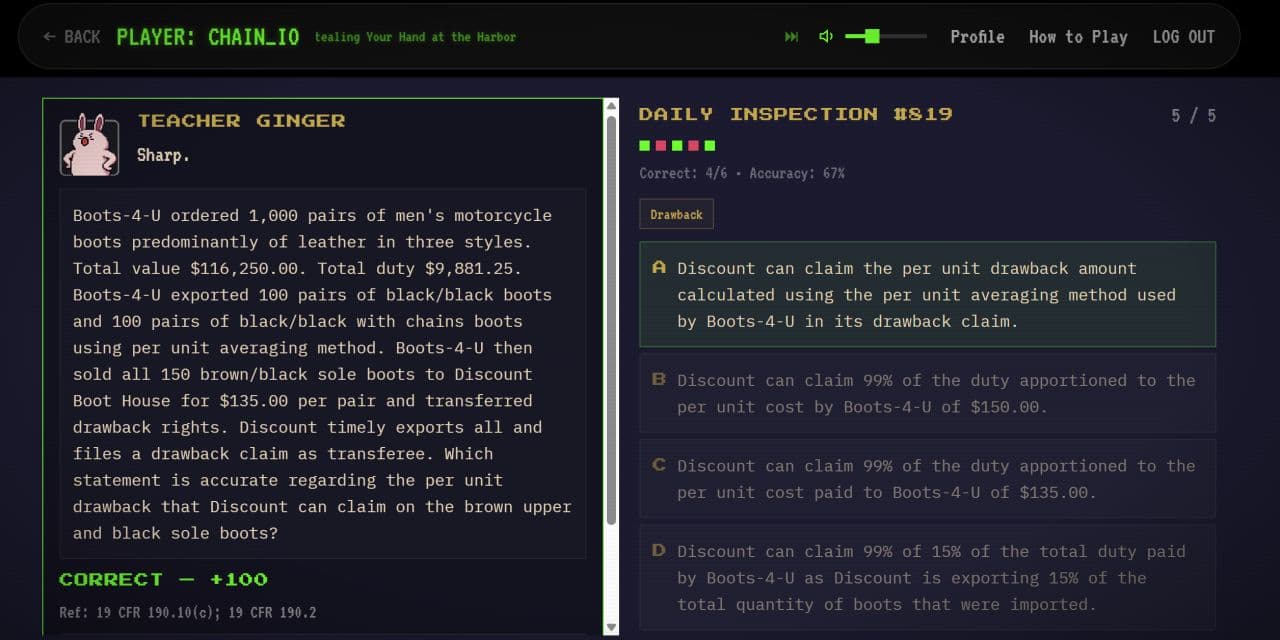
Clear or Flag window: the customs broker game’s home screen and weekly leaderboard, beside a Daily inspection window with a duty drawback question answered correctly. Pointed at, Ginger says it offers one inspection a day and CBLE exam prep, and links to game.gingercontrol.com.
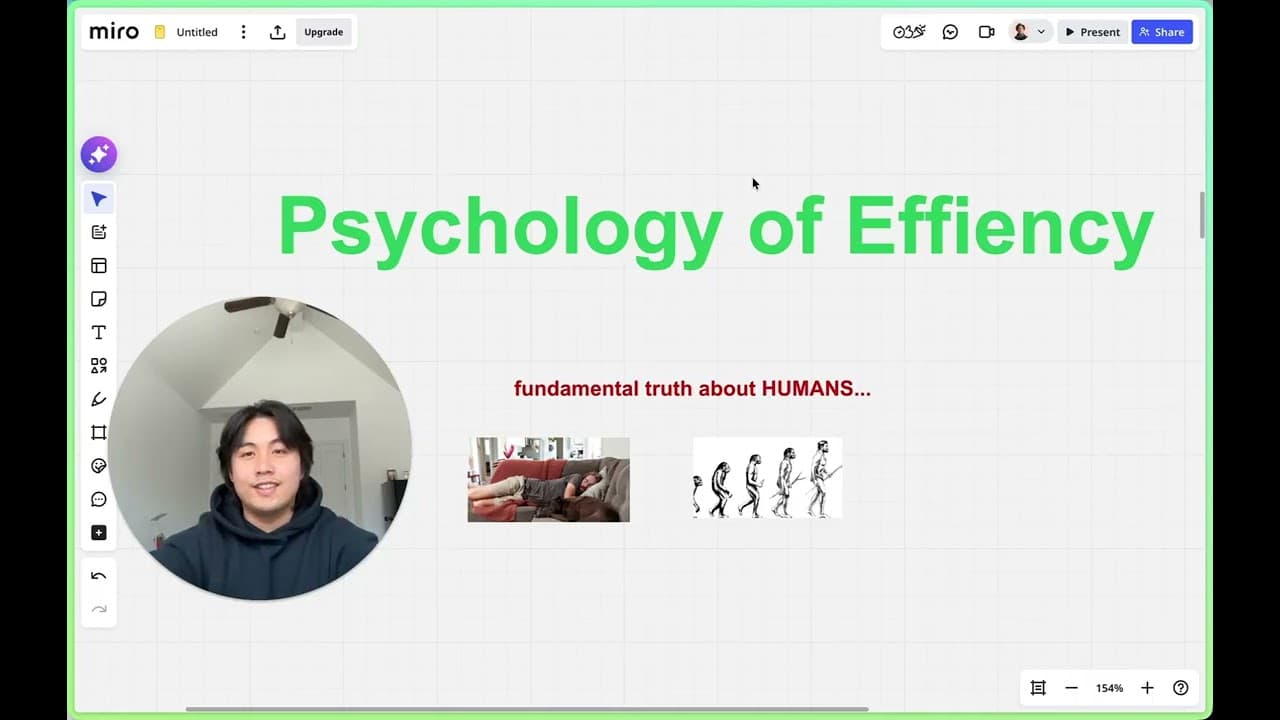
Webinar window: the cover of the recording Is AI replacing Licensed Customs Brokers? with a play button. Pointed at, Ginger says our open webinar takes the question brokers ask us most, whether AI is replacing licensed customs brokers, and links to watch it on YouTube.

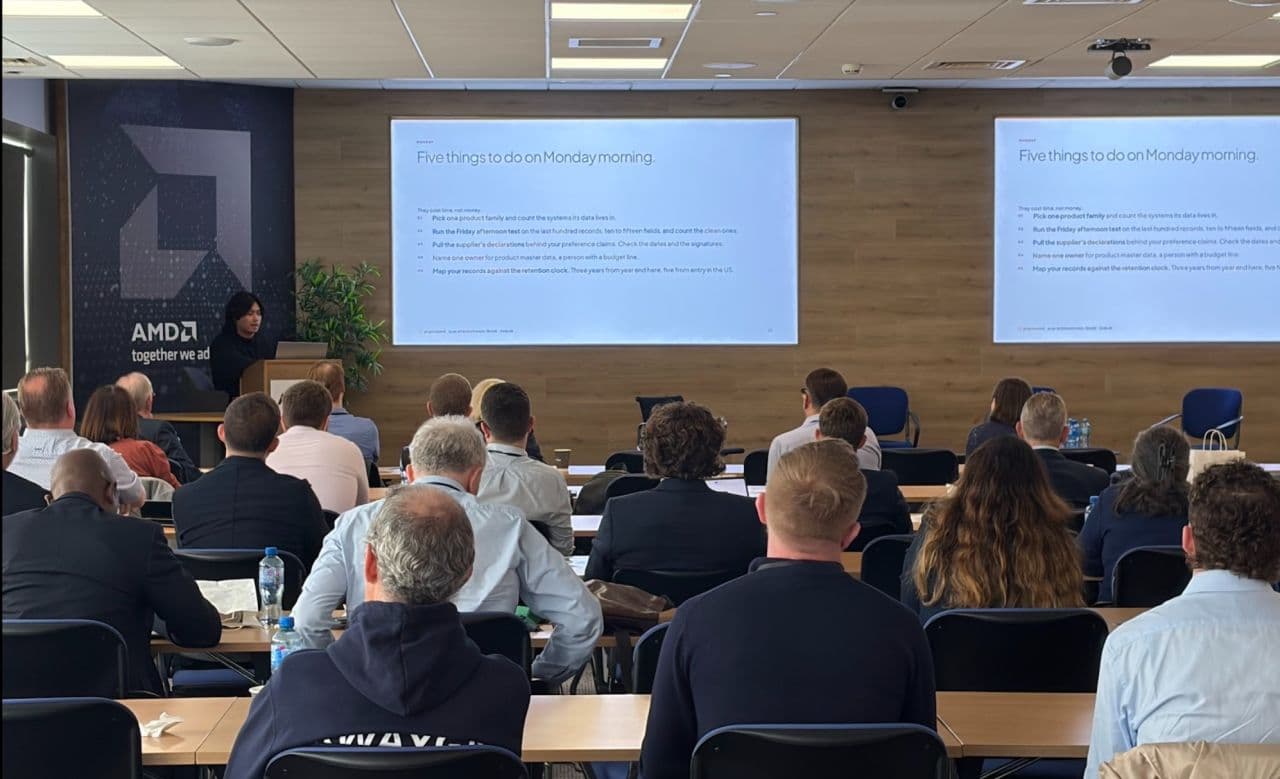
ITI masterclass window: Chen presenting to a full classroom at an International Trade Institute masterclass, beside the class photo on the venue steps and a partnership card. Pointed at, Ginger says we teach AI in trade compliance with the Institute and links to internationaltradeinstitute.com.
Drag a window out. I will tell you what it is.
 Community
A computer desktop with a Community taskbar and draggable windows for five things: the ITI masterclass, a webinar, the Clear or Flag game, a forum and an online tool suite. A cursor labeled Ginger drags windows, and Ginger’s speech box names the window pointed at.
Straight answers to what buyers ask before the first call.
A chat answer has no record and no recheck. GingerOS keeps the reason behind every call and reruns it when your parts, suppliers or the rules change.
Outsourcing removes the judgment step, about a fifth of the hours. Collecting data, coordinating departments and rebuilding the record stay with you. That is the part GingerOS runs.
No. It is built from one call about your own flow, with no permissions and no production data. We review it with you the same week, then quote.
No. Only the parameters a call needs ever leave R&D, such as a material share, never the recipe.
One API layer, read-only on your ERP and PLM, with write-back only where you approve, connected in stages. We build and maintain the connectors. No master data migration, and on-premises deployment can be discussed if you need it.
No one can take it for you. The system keeps the reasoning, the approver and the dates on record, so your own reasonable care holds up.
GingerOS is GingerControl’s AI trade compliance software, fitted to your process. It watches new rules and changes in your ERP, PLM and supplier records, rechecks every SKU a change touches, asks for missing facts before it suggests an HTS code, and writes results back to your ERP only where you approve, with the reasoning on record. See how GingerOS works.
GingerOS is quoted per project, based on how complex your process is, after the Prototype Week. If you only need the tools, the GingerLite app at app.gingercontrol.com is $150 a month for 300 credits.
Yes. Without an ERP, we set up your data storage and design a data flow for your team. Messy data is cleaned first, then we build the AI system on it.
