Is the tariff calculator free?
No. The Tariff Calculator is one of the GingerLite tools in the GingerControl app at app.gingercontrol.com, next to the Classification Researcher and the Parts Library. The app is $150 a month for 300 credits, and each calculation, like each classification, uses credits. If you need a free U.S. customs calculator, the free tools on this site work out customs bonds, MPF and HMF, protest deadlines, IEEPA duties and FTZ savings.
How are import tariffs calculated?
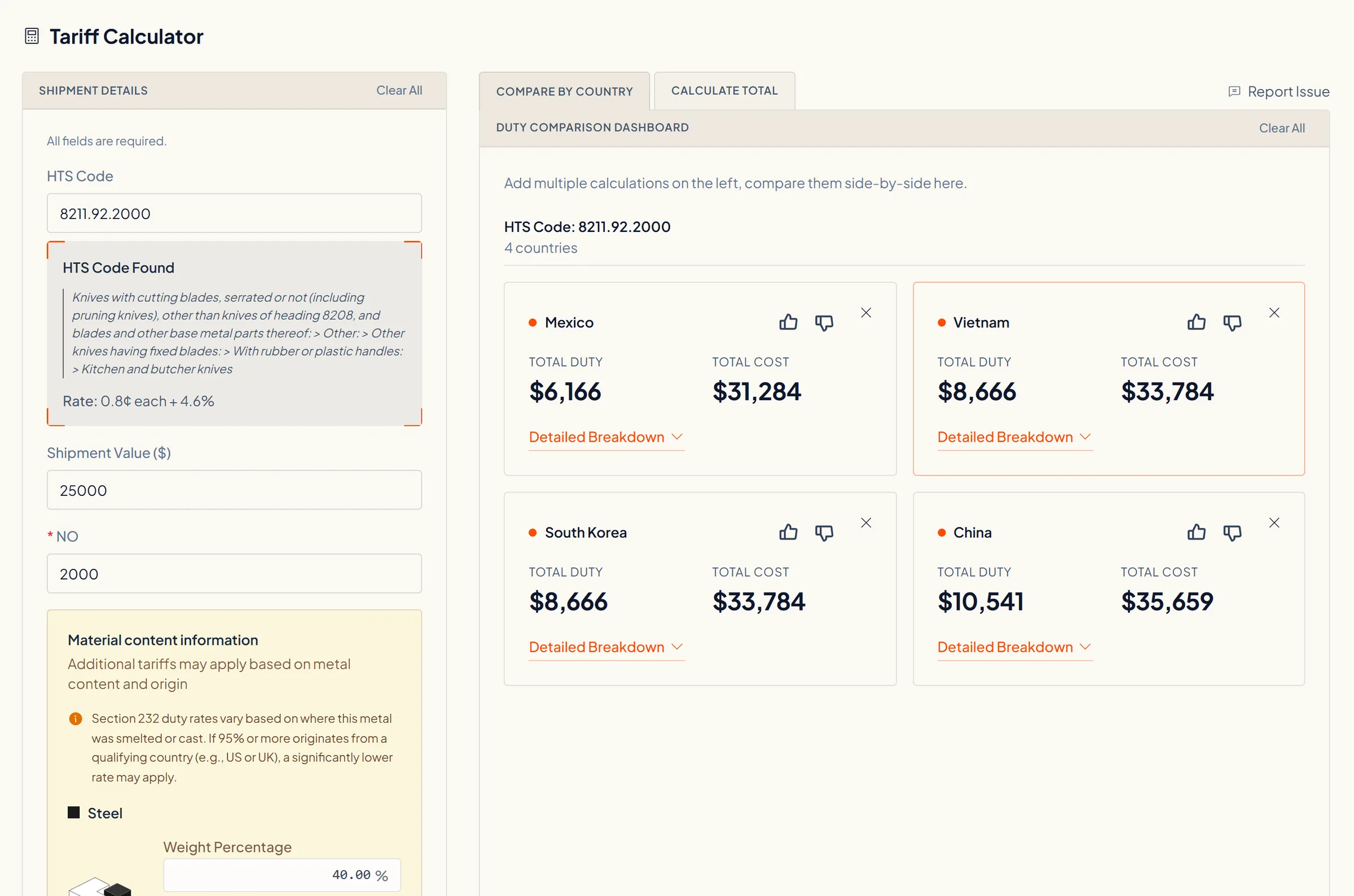
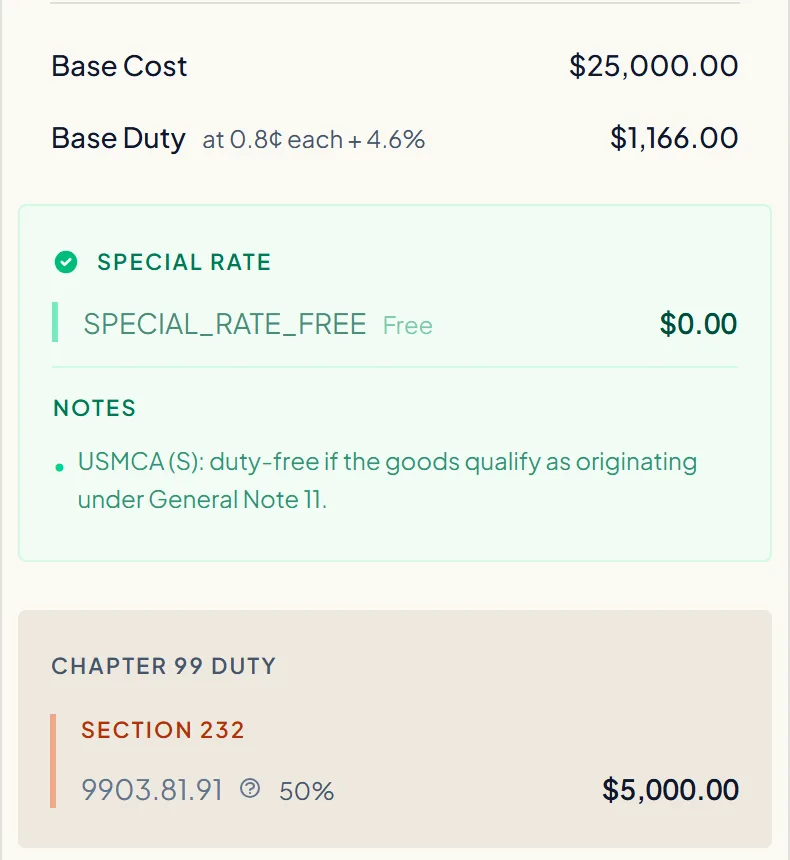
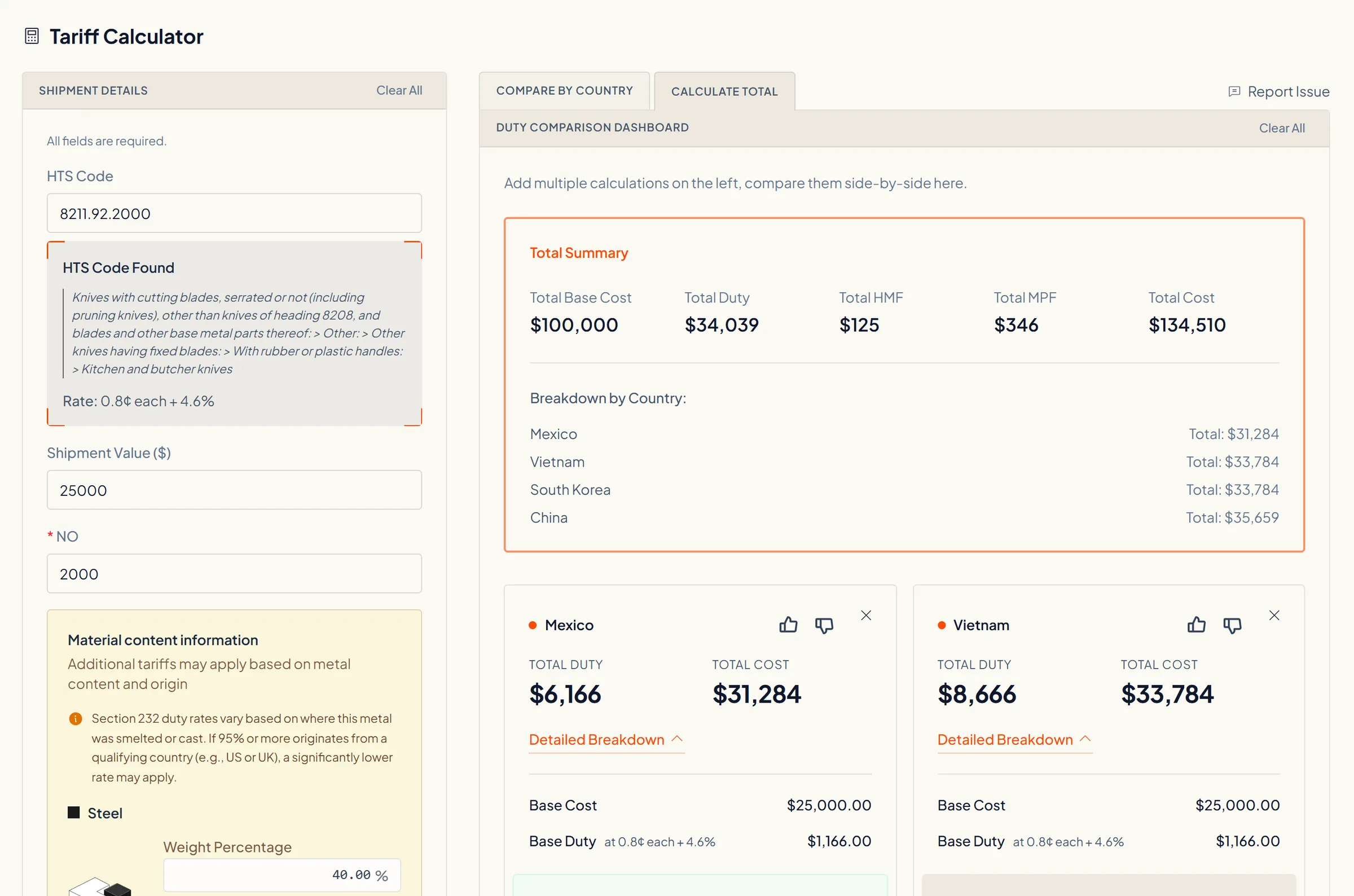
It starts from the general rate in the Harmonized Tariff Schedule for your HTS code and applies it to your value and quantity. Then it adds each Chapter 99 duty that applies to that code from that country on your entry date, such as Section 232 and Section 301, and the fees: the Merchandise Processing Fee, and the Harbor Maintenance Fee when the goods arrive by ocean. Each card lists every line, so you can check the math.
Does the calculator include Section 301 tariffs on China?
Yes. For goods of China, the Section 301 list duty shows as its own Chapter 99 line with its heading and rate, for example 9903.88.15 at 7.5% for List 4A. Since July 24, 2026, products of 60 economies, China included, also owe a Section 301 forced-labor duty of 10 or 12.5 percent (91 FR 47318), which shows as a separate line.
What do the 9903.05 codes on my entry mean?
They are the Section 301 forced-labor duty on products of 60 economies, in force for goods entered from July 24, 2026 (91 FR 47318). Headings 9903.05.20 to 9903.05.84 carry it by country: 10 or 12.5 percent, or for the EU, Taiwan, Japan, Korea and Switzerland a top-up to a combined 10 or 12.5 percent with the base rate. Other headings mark goods that don't pay it, such as 9903.05.90 for goods already under Section 232 duties, 9903.05.93 and 9903.05.94 for USMCA goods of Canada and Mexico entered free, and 9903.05.95 for CAFTA-DR textiles and apparel entered free. U.S. note 52 to Chapter 99 sets the rules.
How do I check whether an HTS code has Section 301 or AD/CVD duties?
Section 301 follows the HTS code and the origin, so the calculator shows every 301 line that applies to a code from a country on your entry date. AD/CVD is different: an order covers a product scope and sets rates by producer, so the HTS code is only a pointer. Check the order's scope in Commerce's ACCESS or the Federal Register, and your producer's current cash deposit rate in CBP's AD/CVD Search, with your broker; the Tariff Calculator does not compute AD/CVD.
Can I compare U.S. tariffs by country of origin?
Yes. Pick one HTS code and as many origins as you want, and each origin gets its own card with the full stack, cheapest first, so you can see what moving production or a supplier would change. For one part's candidate codes against several origins in one matrix, use the Parts Library.
What is a tariff stack, and why does it matter?
A tariff stack is every duty owed on one import line: the base rate, each Chapter 99 duty layered on top, then the fees. A quote built on the base rate alone can miss most of what is due at entry. The calculator works out the whole stack in one pass and shows each layer on its own line, so you can see what your quote is made of.
How is this different from looking up rates on the USITC website?
The Harmonized Tariff Schedule on the USITC site lists the base rates and the Chapter 99 headings, but you work out which headings apply to your origin and date and add them up yourself. The calculator does that matching for every country you pick and returns the totals side by side, so you compare origins on one screen instead of one lookup at a time.
Does it include Section 232 steel, aluminum and copper tariffs?
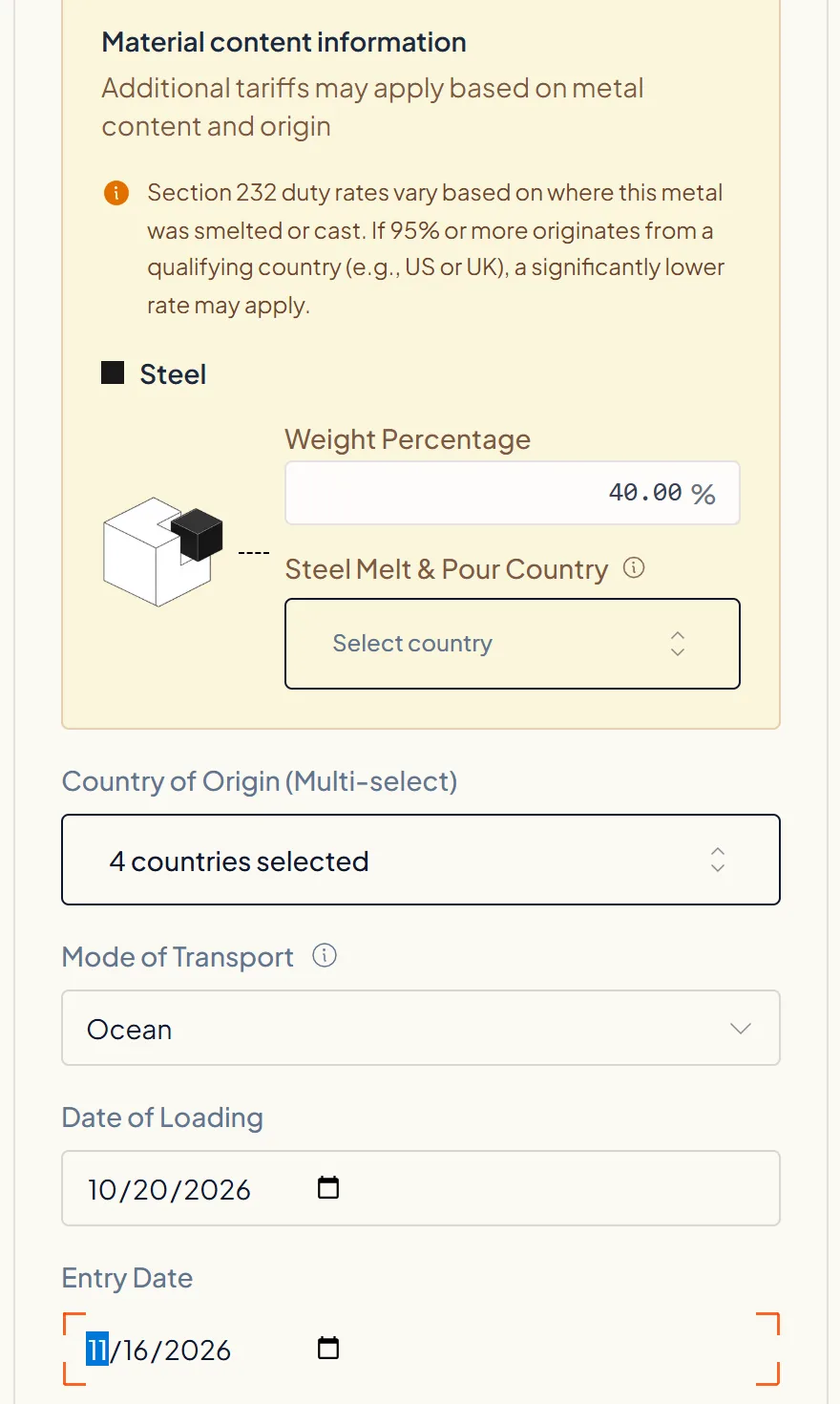
Yes. When the HTS code is a Section 232 metal article, the form adds a Material content box. It asks where the metal was melted and poured, and for a derivative product the metal's share of the weight, because the 232 duty depends on both. The result shows as its own Chapter 99 line.
Does it use the tariffs in force on my entry date?
Yes. The calculation is dated by the entry date you enter, and the date of loading is asked too. That matters at a cutover: the Section 122 surcharge applied only to goods entered from February 24 to July 23, 2026, and the Section 301 forced-labor duty applies to goods entered from July 24, 2026.
Does it apply USMCA and other free trade agreement rates?
It shows them. When your HTS code has a special rate for that origin, the card adds a Special Rate panel with the program and its condition, for example USMCA duty-free if the goods qualify as originating. The total keeps the general rate, because whether your goods qualify depends on your rules-of-origin records, which the calculator does not check.
How do customs brokers and sourcing teams calculate duties for hundreds of products at once?
Not in this calculator: it takes one HTS code at a time, across as many origins as you pick. For a parts list, GingerControl's Parts Library imports a CSV or Excel file and calculates every code against every origin in one matrix. For enterprise systems, the Classification + Tariff Calculation API returns the tariff stack for a batch of items in one call.
Can I put this number on a customs entry?
Use it to plan and quote, not to file. It is an estimate built from the code, value and dates you enter, and a wrong HTS code gives a wrong duty. Your licensed customs broker files the entry, and CBP sets the final duty when the entry liquidates. GingerControl is not a customs broker.